
Your Files. Scheduled. Delivered.
Set up recurring transfers in minutes, not days. Cron-like scheduling that just works—with automatic retry, failure alerts, and delivery confirmation.
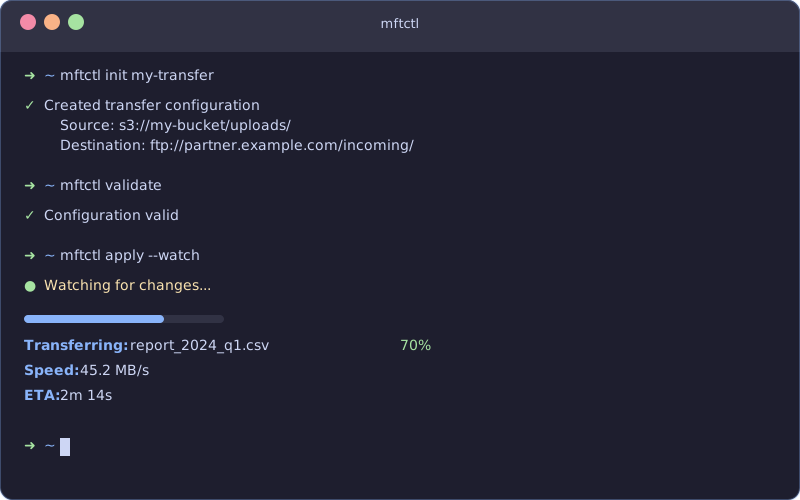
Your team handles file transfers every day. Customer data exports. Partner SFTP dropzones. Compliance archives. Log aggregation.
And you're doing it with fragile cron jobs, hand-rolled scripts, or legacy MFT platforms built before cloud-native was a thing.
The result:
MFTPlus gives you enterprise-grade managed file transfers with a lightweight desktop agent and centralized dashboard.
Lightweight, not bloated
DevOps-friendly, not DevOps-hostile
Compliance-ready, not compliance-later
1. Download and install the agent
Windows, macOS, or Linux — get up and running in under 5 minutes.
2. Configure and register
Set your dashboard URL and register your agent. Your agent appears in the dashboard with online status.
3. Create your first scheduled job
Schedule transfers using familiar cron syntax. Monitor execution in real-time.
Before: 50 different cron jobs, 50 sets of SSH keys, no central monitoring, failures go unnoticed until customers complain.
With MFTPlus: One dashboard, all transfers visible. Automatic retry on failure. Alert on completion. Add new customers in seconds, not hours.
Before: Frantically grep through logs across 20 servers. Hope nothing was deleted. Cross your fingers.
With MFTPlus: Query the local SQLite database. Get a complete, audit-ready report. Every file, every transfer, every timestamp.
Before: Wait weeks for vendor support. GUI-heavy workflows you can't automate. Five-figure annual contracts.
With MFTPlus: Lightweight agent, simple dashboard. Get up and running in an afternoon. Plans from $0 to custom enterprise.
| Tier | Price | Best For |
|---|---|---|
| Community | Free forever | Individual developers, small projects |
| Starter | $150/month | Teams automating recurring transfers |
| Pro | $499/month | Companies with compliance requirements |
| Enterprise | Custom | Large-scale deployments with SLA needs |
"We replaced 47 cron scripts with MFTPlus in one weekend. Our on-call rotations have been blissfully quiet ever since." — DevOps Lead, FinTech Startup
"SOC2 auditors actually complimented our file transfer audit trails. That's never happened before." — CTO, Healthcare SaaS
"Finally, an MFT tool that doesn't require a dedicated server team to manage." — Senior Engineer, E-commerce Platform
Start free in under 5 minutes. No credit card required. Scale when you need to.